SMS Notifications & Consent
Last updated: May 4, 2026
SMS alerts are completely optional. You can use every feature of Solwyn — creating accounts, configuring AI agents, setting budgets, monitoring costs — without ever enabling SMS. Consent to receive SMS is never a condition of using our service.
How do you consent?
SMS alerts are available on paid plans. Upgrading does not opt you into SMS. To receive Solwyn SMS alerts, you must verify a US or Canadian phone number and then separately enable SMS alerts in Settings. Skipping either step means you will never receive SMS alerts from Solwyn.
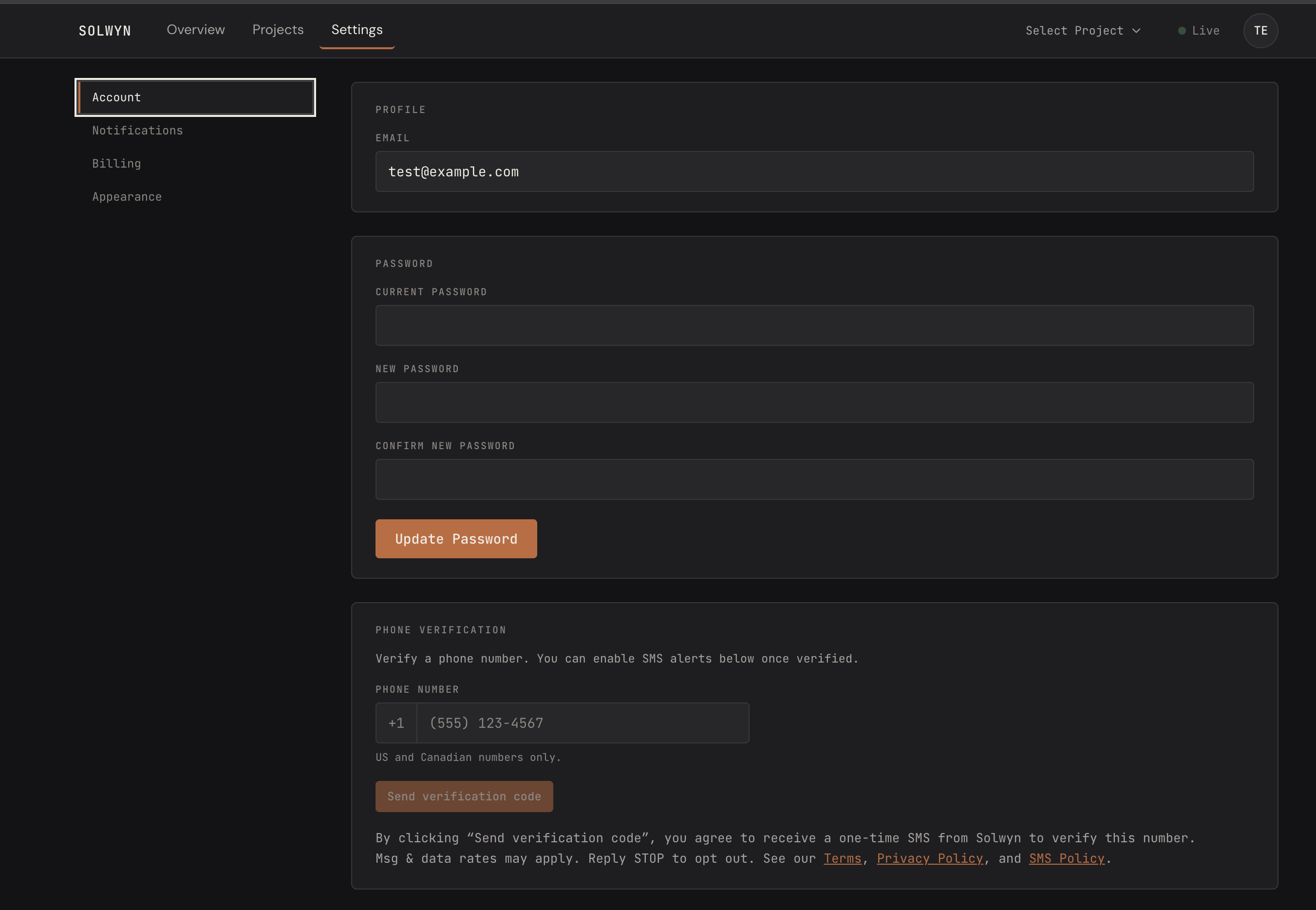
Step 1 — Phone verification (optional)
In the Account tab, the Phone Verification card lets you enter a US or Canadian phone number and click “Send verification code.”
No checkbox is shown — clicking “Send verification code” is your affirmative action to receive the one-time code. The code is sent via Twilio Verify (separate managed infrastructure, not our toll-free number). Directly beneath the button, we display this microcopy:
“By clicking “Send verification code”, you agree to receive a one-time SMS from Solwyn to verify this number. Msg & data rates may apply. Reply STOP to opt out. See our Terms, Privacy Policy, and SMS Policy.”
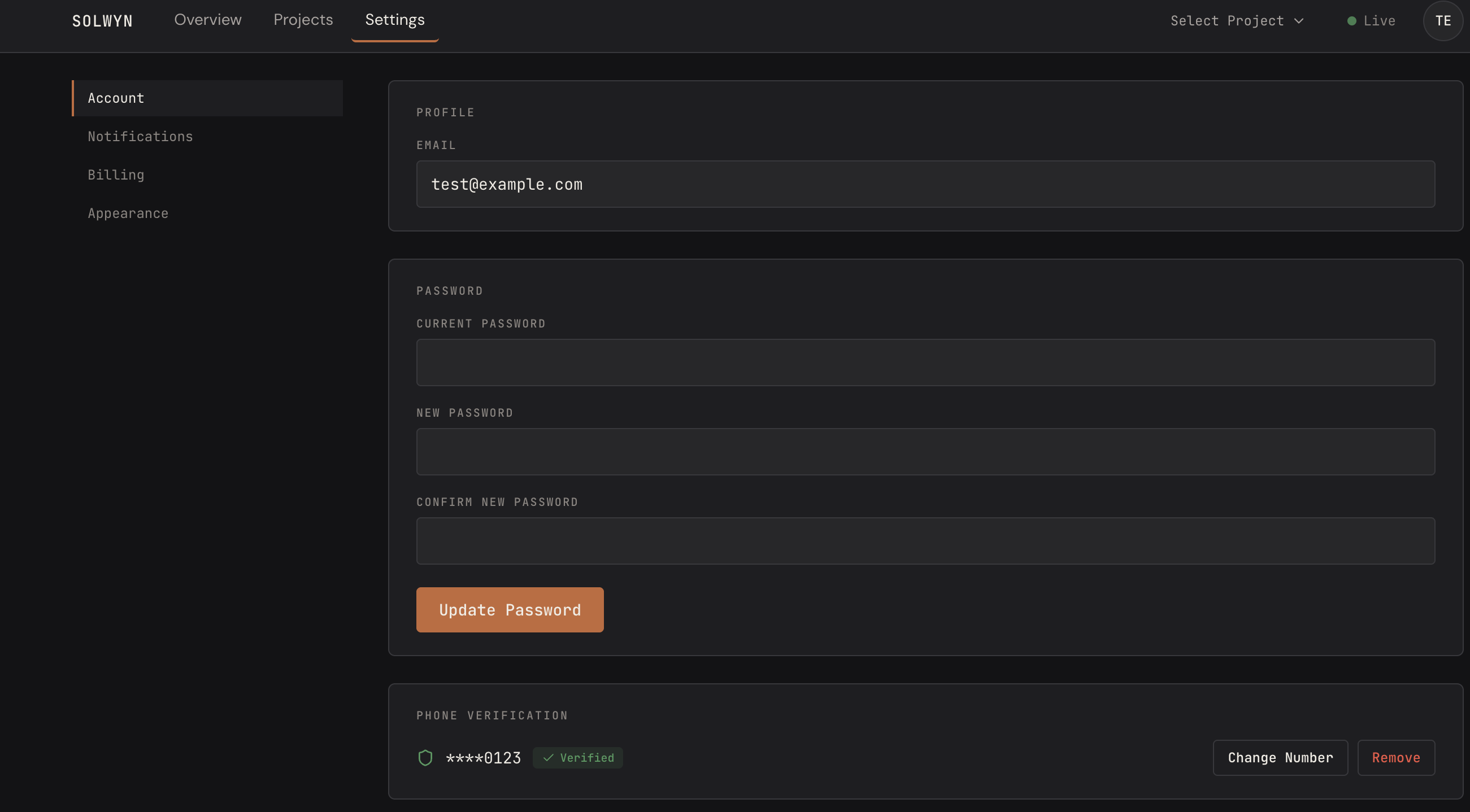
Step 2 — SMS alerts opt-in (optional, requires Step 1)
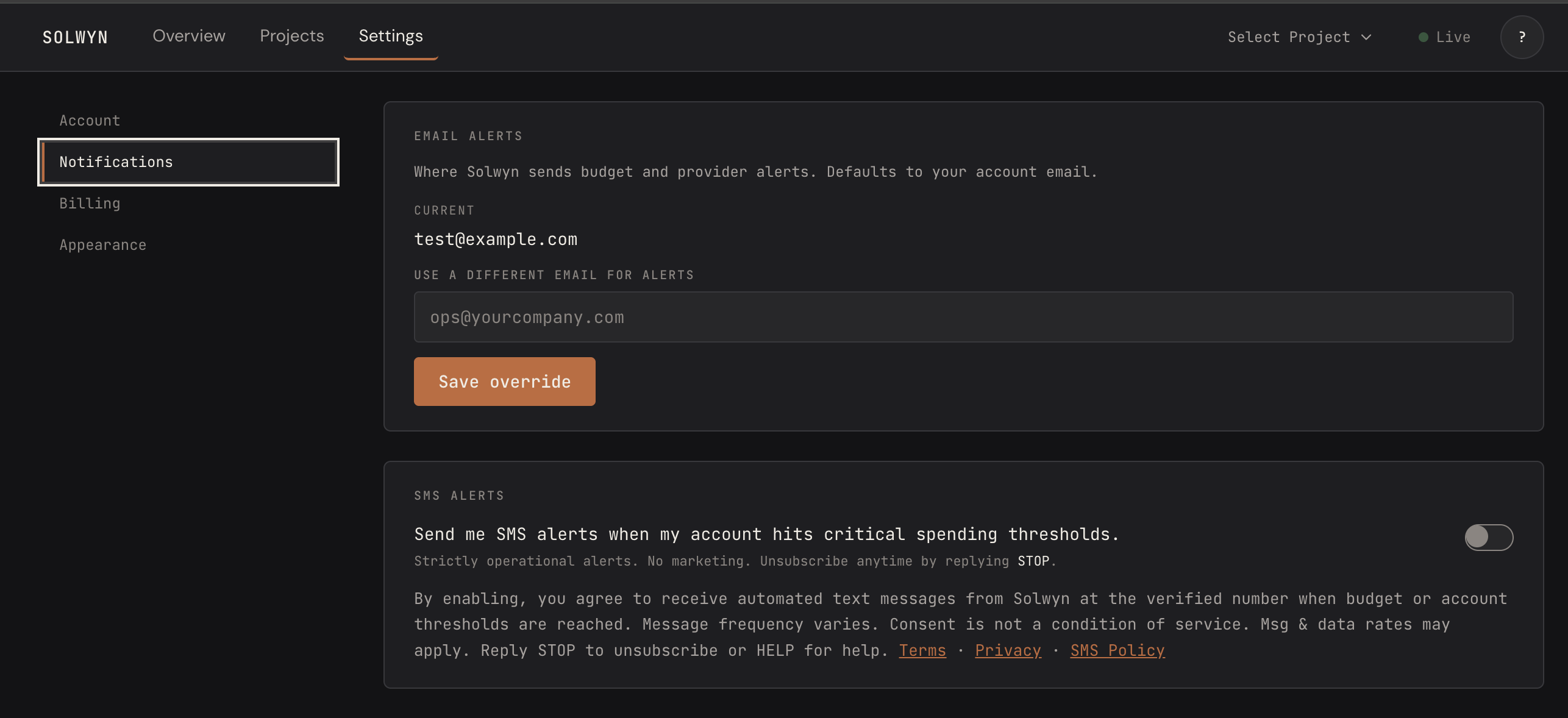
In the Notifications tab, the SMS Alerts card shows an unchecked toggle labeled:
“Send me SMS alerts when my account hits critical spending thresholds.”
The toggle is unchecked by default. It is disabled until phone verification completes, and it becomes available only after the user has a verified phone number. Directly adjacent to the toggle, we display the full consent disclosure:
“By enabling, you agree to receive automated text messages from Solwyn at the verified number when budget or account thresholds are reached. Message frequency varies. Consent is not a condition of service. Msg & data rates may apply. Reply STOP to unsubscribe or HELP for help.”
You must actively toggle this on to opt in. We record the timestamp, IP address, user agent, and disclosure version of your consent for our compliance audit trail.
What messages do we send?
Solwyn SMS notifications are strictly transactional account alerts. We send messages only to Solwyn account owners who have explicitly enrolled in SMS alerts for their account.
Message types include:
- Budget threshold alerts — when your configured AI provider spend reaches a warning threshold you set (for example, 80% of your monthly budget).
- Budget exceeded alerts — when your AI provider spend has exceeded the budget you configured.
- Provider outage alerts — when an AI provider you depend on (such as OpenAI, Anthropic, or Google) experiences a service disruption affecting your production traffic.
- Anomaly alerts — when we detect unusual spending patterns on your account.
Example messages:
We do not send marketing, promotional, or third-party messages over SMS. Solwyn SMS is used exclusively for operational account alerts.
Geographic coverage
Solwyn SMS alerts are available to US and Canadian phone numbers only. The Account Settings phone input is hardcoded to +1 and displays “US and Canada only” as helper text. If you hold a non-US/Canadian phone, you can still use Solwyn; you just won’t be able to enable SMS alerts.
Message frequency
Message frequency varies based on your own usage, budget configuration, and the alert types you enable. Most accounts will receive fewer than 10 messages per month. Accounts experiencing active budget breaches or provider outages may receive more.
Message and data rates may apply. Check with your mobile carrier for details.
How to opt out
You can stop receiving Solwyn SMS alerts in any of the following ways:
- Reply STOP to any Solwyn SMS. You will be immediately and permanently unsubscribed from all Solwyn SMS on that number.
- Toggle SMS Alerts off in Settings → Notifications. Your phone number stays verified but no more alerts are sent.
- Remove your phone number from Account Settings → Phone Verification.
- Contact support at support@solwyn.ai and request removal.
How to get help
- Reply HELP to any Solwyn SMS to receive contact and unsubscribe information.
- Email support@solwyn.ai with any questions about SMS alerts.
Carriers
Carriers are not liable for delayed or undelivered messages.
Privacy
Phone numbers provided for SMS alerts are used only to deliver the alerts described on this page. We do not sell, rent, transfer, or share SMS opt-in data or consent with third parties or affiliates for marketing or promotional purposes. We share phone numbers with our SMS delivery provider (Twilio) only to the extent necessary to send the messages. See our Privacy Policy for details on how we handle personal information.
Contact
For questions about this SMS policy, contact us at support@solwyn.ai.